Changing properties of an existing coordinate system
To open the coordinate system properties window, press the  Edit active CS... menu item on the coordinate systems panel.
The coordinate system properties window is shown below:
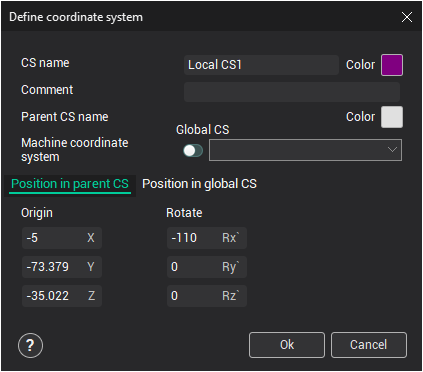
In this window, the CS name can be changed, as well as its Color and Comment.
To move or rotate the coordinate system, define the displacement value for the X, Y, and Z axes or the corresponding rotation angles. These values are relative to the Parent or Global coordinate system, depending on the active tab.