Operation parameters
Application area:
This tab contains the main parameters for controlling the part, workpiece, fixture and other items, which allow you to change the trajectory.
Below are all the parameters. Depending on the specific operation being used, certain parameters will be available.
Check part.
The part geometry is taken into account while calculating the toolpath. A gouge-free toolpath is guaranteed, however the calculation time can be long when the part geomety is complex.
Click here to expand..
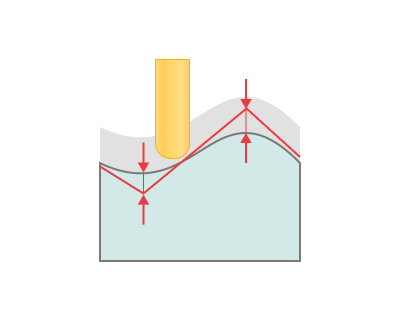
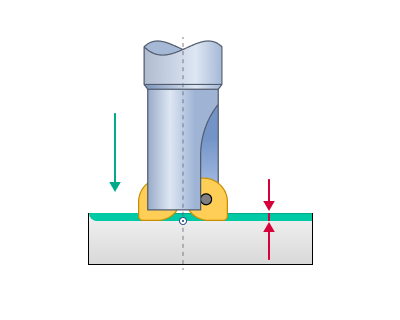
Tolerance. This feature defines the 'maximum deviation' between the 'ideal' and 'approximated' toolpath. A larger tolerance amount reduces the number of moves in the toolpath. The toolpath calculation aims to ensure that deviations from the part geometry do not exceed the specified tolerance.
One should note that increasing the tolerance would increase the calculation time and the size of the NC program.
The tolerance must be more than zero, otherwise it will be impossible to construct an approximated toolpath.
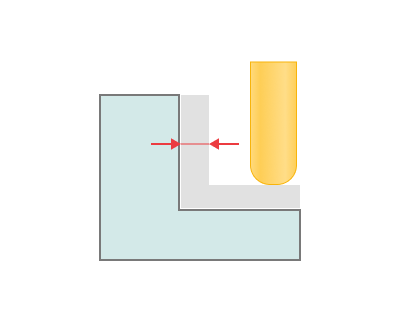
Radial stock. It defines the stock in radial direction of the tool for the future machining.
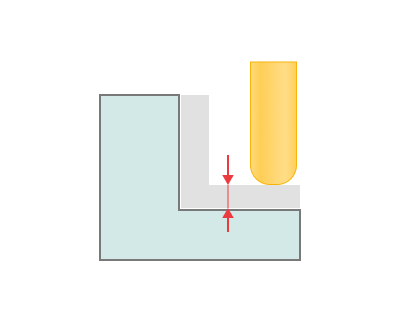
Axial stock. It defines the stock in axial direction of the tool for the future machining.
Use fast calculation method. It uses more fast algorithms for the calculation. Try to disable this option if toolpath tolerance doesn't suits you. If Use fast calculation method is used, toolpath calculation time reduces dramatically. A speedup on complex parts may reach up to 10–20 times.
By now, fast toolpath calculation methods use triangulated surfaces as input data. This fact involves some limitations that should be taken into consideration while generating toolpath. First of all, the quality of the generated toolpath may be worse than when using traditional exact methods. The maximum deviation of the toolpath depends heavily on the value specified in the Tolerance panel of the operation parameters dialog. This value determines the tolerance of model triangulation. Secondly, triangulated surfaces require a lot of operation memory.
Described limitations are today a common place for all CAM systems, and only our CAM systems gives you the alternative between speed of approximate calculation methods and the quality of exact calculation methods.
Use new calculation method. The new algorithm enables fast multi-core computation and ensures a smooth tool path, taking into account surface normals and the side angle. Details
Disc diameter stock. This design allows for a stock to be left at the walls of the parts, ensuring sufficient material for subsequent processing or fitting
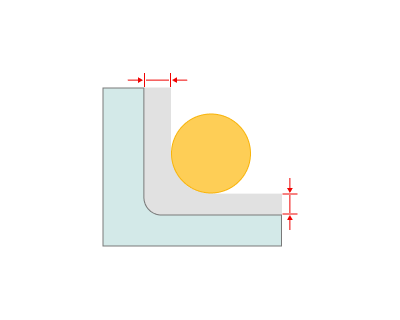
Disc thickness stock. Disc thickness stock allows for a margin to be left adjacent to the part wall on the side of the disc.
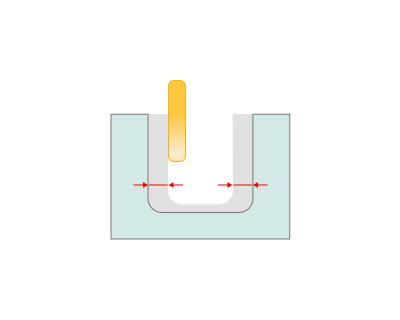
Work passes interpolation.
Click here to expand..
Auto. The system automatically selects the interpolation mode based on machine capabilities and path type.
- If spatial arcs are supported and the path is 5-axis or 6-axis, "Spatial arcs" will be used.
- If only planar arcs (XY, YZ, ZX) are supported and the path is 3D, "Planar arcs and helices" will be used.
- If arcs are not supported, "Deviation-based" segmentation will be used.
Off. Toolpath is used as-is. No interpolation.
Deviation-based. Interpolates the path using linear segments within the specified linear and angular deviation limits.
Click here to expand..
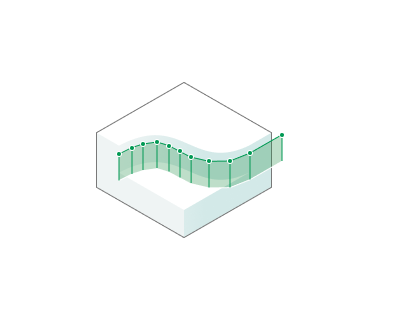
Max linear deviation. Sets the maximum distance the resulting line segment can deviate from the original spatial trajectory. Decreasing the value results in a more accurate approximation; increasing it results in a coarser approximation, fewer segments, and faster calculations, but may result in noticeable errors in the trajectory's shape.
Max angular deviation. Sets the maximum allowable rotation between adjacent line segments in the approximation. A low value smooths out the turns, creating more segments at the points of curvature; a high value allows sharper angles between segments.
Fixed segment length. Divides the path into equal-length segments. Works best for smooth trajectories. May clip sharp corners.
Click here to expand..
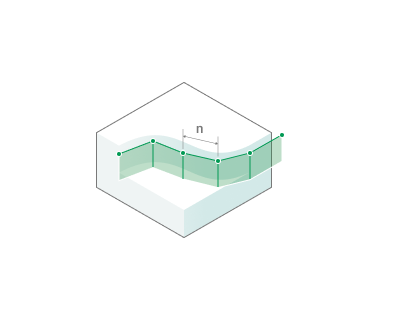
Segment length. Specifies a fixed length of linear segments into which the original toolpath is divided during interpolation.
Planar arcs/helices. Arcs interpolation in the XY / YZ / ZX planes with the Circle command (depending on the operation).
Click here to expand..
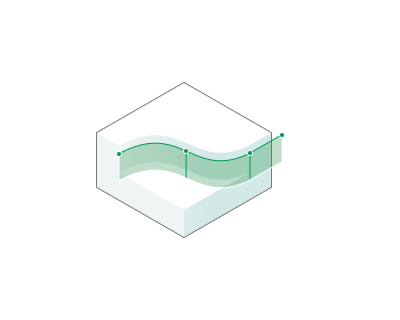
Max linear deviation. Sets the maximum distance the resulting line segment can deviate from the original spatial trajectory. Decreasing the value results in a more accurate approximation; increasing it results in a coarser approximation, fewer segments, and faster calculations, but may result in noticeable errors in the trajectory's shape.
Max angular deviation. Sets the maximum allowable rotation between adjacent line segments in the approximation. A low value smooths out the turns, creating more segments at the points of curvature; a high value allows sharper angles between segments.
Spatial arcs. The path is approximated with arcs in arbitrary planes and line segments within the specified deviations. The mode is available when the machine supports spatial arcs.
Click here to expand..
Max linear deviation. The maximum distance by which the arcs and segments can deviate from the original path. A smaller value gives a more accurate approximation and more elements.
Max angular deviation. The maximum deviation of the tool axis from its original orientation within one segment or arc. The parameter is shown when the operation uses rotary axes.
Max angle. The maximum central angle of one arc: Default (140°), 180° or 90°. A longer arc is split into several arcs.
Fixed length spatial arcs. The path is divided into sections of the specified length. Each section is output as an arc through its start, middle and end points; straight sections are output as line segments. The mode is available when the machine supports spatial arcs.
Click here to expand..
Segment length. The length of a path section replaced by one arc.
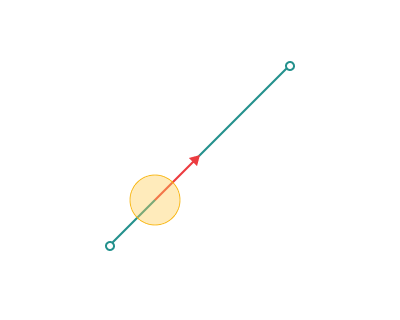
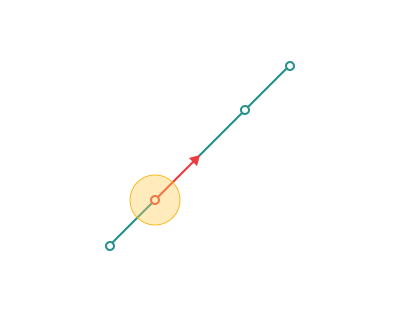
Max motion length.
Click here to expand..
If enabled: The tool path motions will be divided to not exceed the given length. Smaller trajectory segments enhance contour-following accuracy, particularly on high-precision machines.
If disabled:. Motion moves will not be divided.
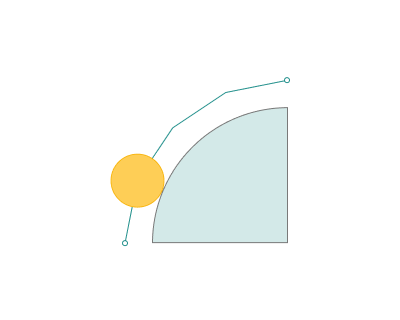
Max motion rotation.
Click here to expand..
If enabled: The tool motion trajectory is divided into segments so that the rotation angle on each segment does not exceed the specified value. The CAM system automatically inserts intermediate rotation points if the calculated rotation angle on a segment exceeds the Max motion rotation limit.
If disabled:. Motion moves will not be divided.
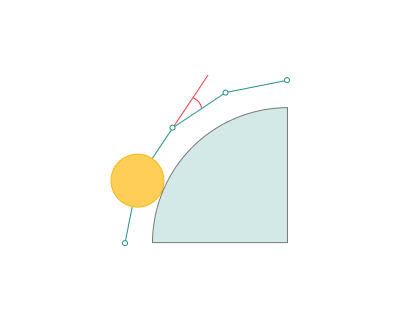
Links interpolation.
These parameters define the interpolation of links, the moves between work passes: the retract from the machined surface, the transition to the next work pass and the engage. Links can be interpolated differently from work passes. For example, work passes can be output as spatial arcs and links as line segments.
The group is available in the same operations as Work passes interpolation. It is hidden when Planar arcs/helices is selected for work passes.
Click here to expand..
Same as work passes. Links are interpolated with the same mode and parameters as work passes (the Work passes interpolation group). This mode is the default.
Off. Links are output as calculated, without interpolation.
Deviation-based. Links are approximated with line segments within the specified deviations.
Click here to expand..
Max linear deviation. The maximum distance by which the segments can deviate from the calculated link path. A smaller value gives a more accurate approximation and more segments.
Max angular deviation. The maximum deviation of the tool axis from its calculated orientation within one segment or arc. A smaller value gives more segments where the tool axis rotates. The parameter is shown when the operation uses rotary axes.
Fixed segment length. Links are divided into segments of equal length; the last segment can be shorter. Sharp corners can be cut off.
Click here to expand..
Segment length. The length of the segments into which links are divided.
Spatial arcs. Links are approximated with arcs in arbitrary planes and line segments within the specified deviations. The mode is available when the machine supports spatial arcs.
Click here to expand..
Max linear deviation. The maximum distance by which the arcs and segments can deviate from the calculated link path. A smaller value gives a more accurate approximation and more elements.
Max angular deviation. The maximum deviation of the tool axis from its calculated orientation within one segment or arc. The parameter is shown when the operation uses rotary axes.
Max angle. The maximum central angle of one arc: Default (140°), 180° or 90°. A longer arc is split into several arcs.
Fixed length spatial arcs. Links are divided into sections of the specified length. Each section is output as an arc through its start, middle and end points; straight sections are output as line segments. The mode is available when the machine supports spatial arcs.
Click here to expand..
Segment length. The length of a link section replaced by one arc.
Max motion length. If enabled, link moves longer than the specified value are divided into parts no longer than it. If disabled, link moves are not divided. The parameter is shown in the Off, Deviation-based and Spatial arcs modes. In the Same as work passes mode, the Max motion length of work passes applies; in the fixed length modes, moves are divided by the Segment length.
Check workpiece.
Group of parameters, that define the way of workpiece calculation for the current operation.
Click here to expand..
.png)
.png)
Radial ignore thickness. Unlike the stock in the Check part group, the algorithm relies on analyzing the workpiece after the previous operation: the toolpath is not generated in areas where the radial stock is less than the specified value. The parameter value must be less than the Depth step and Safe distance.
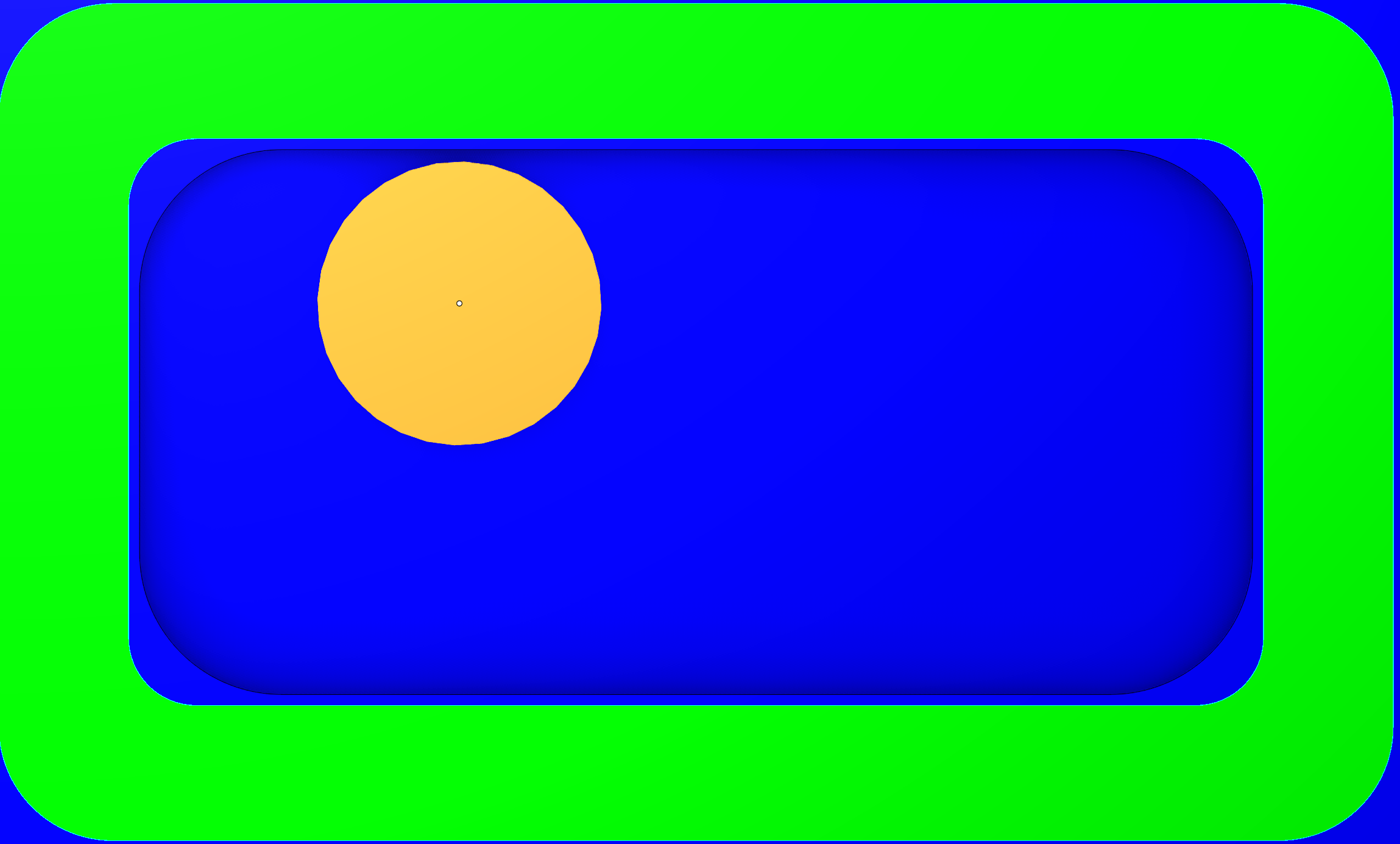
If, during the first pocket machining operation, the Radial stock and Axial stock values are set to 1 mm and the tool diameter exceeds the pocket's fillet radii, the stock allowance will be uneven. On straight wall sections, it will be 1 мм, whereas in corner areas it will exceed 1 mm.
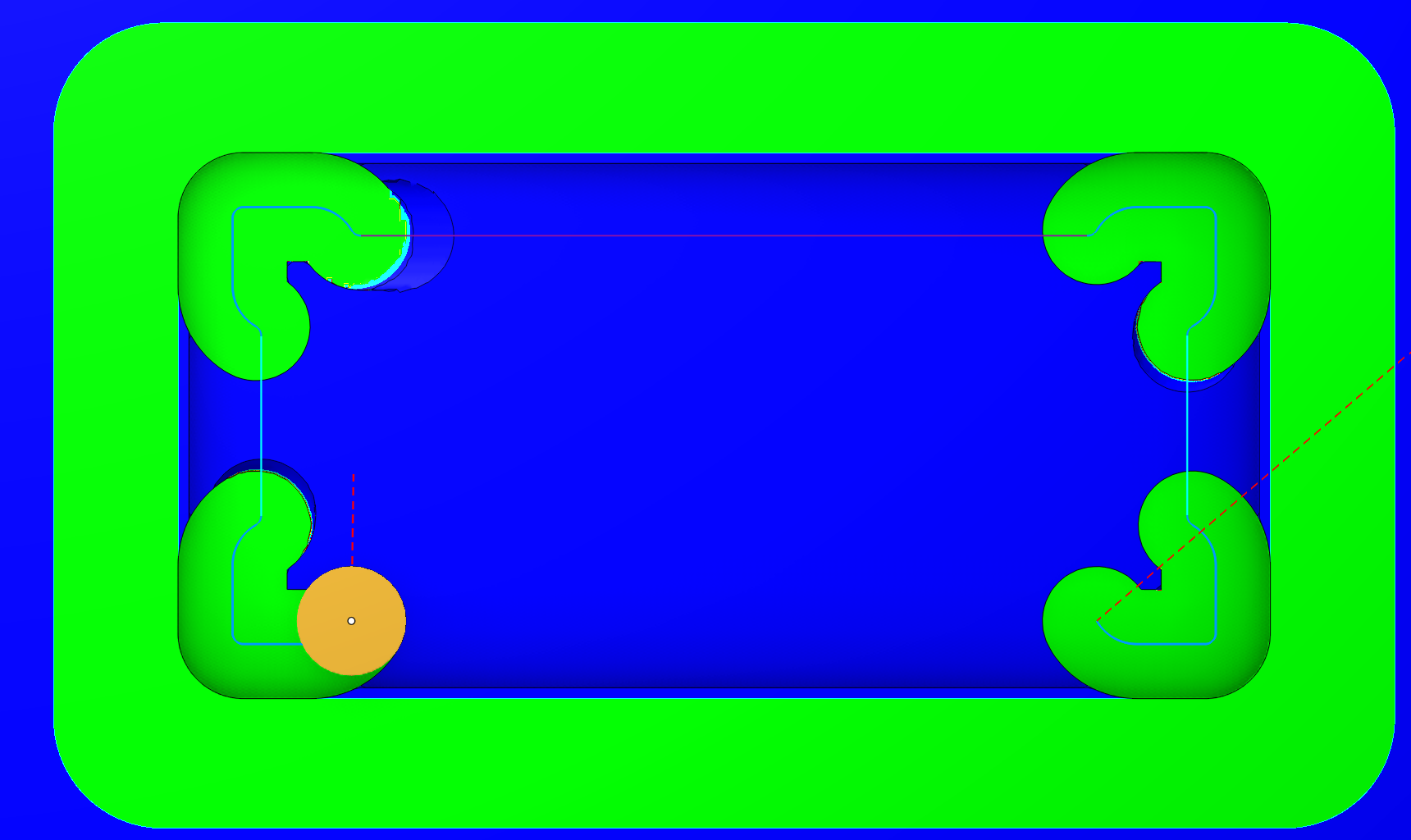
In the second machining operation, you can set the Radial ignore thickness and Axial ignore thickness values to 1,1 mm. When using a tool with a diameter smaller than the pocket's fillet radii, machining will be performed exclusively in the corner areas of the part — specifically where the stock allowance exceeds 1 mm.
Axial ignore thickness. Unlike the stock in the Check part group, the algorithm relies on analyzing the workpiece after the previous operation: the toolpath is not generated in areas where the axial stock is less than the specified value. The parameter value must be less than the Depth step and Safe distance.
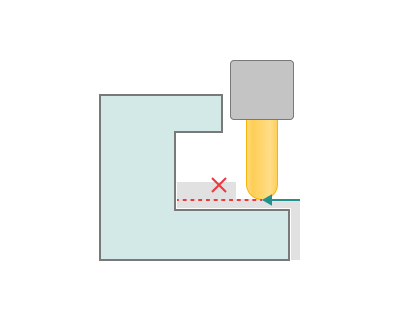
Extend toolpath. Extend the toolpath so that cutting starts before the workpiece edge. This is primarily used in finishing operations: Finishing waterline and Finishing plane, when the Check workpiece option is enabled and the toolpath is being constrained (a ccording to the workpiece ). This option allows extending the approach to the entery point.
The parameter is similar to the Safe distance setting on the Link/Leads tab. Details
The difference is that the extended approach for Safe distance follows a tangent from the cutting point, while Extend toolpath contours around the workpiece.
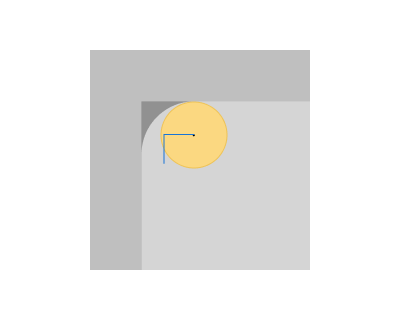
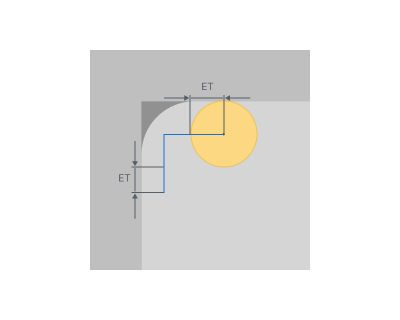
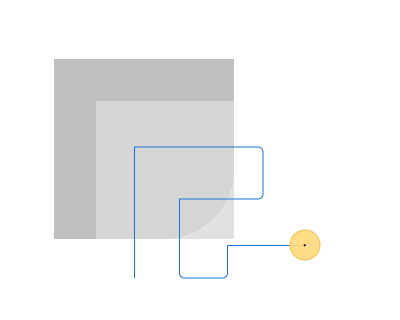
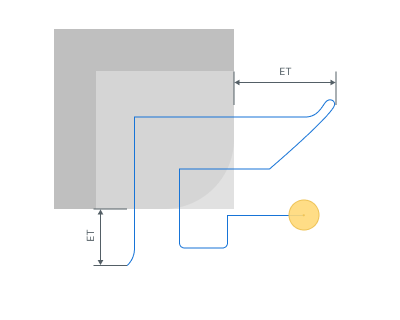
ET - Extend toolpath
Theoretical rest material. Defines how the workpiece for the current operation is calculated: from the zones inaccessible to a tool or from the simulated toolpaths of previous operations.
Click here to expand..
ON. The workpiece is calculated as theoretical rest material. Only zones that the tool could not reach, such as inner corners and slots narrower than the tool, are included. The real toolpaths of previous operations are not taken into account; only the tool is used.
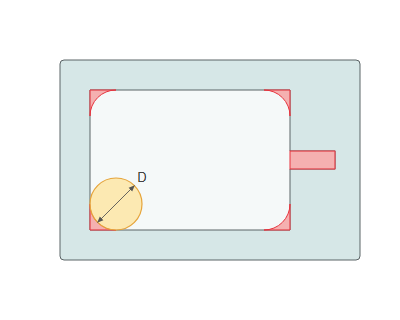
OFF. The workpiece is calculated by simulating all previous operations. The material left by their real toolpaths is used as the workpiece for the current operation.
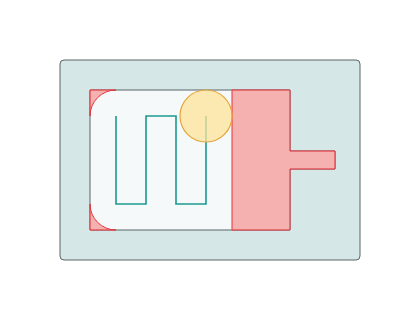
After tool diameter.
OFF. The rest material is calculated after the tools used in all previous operations.
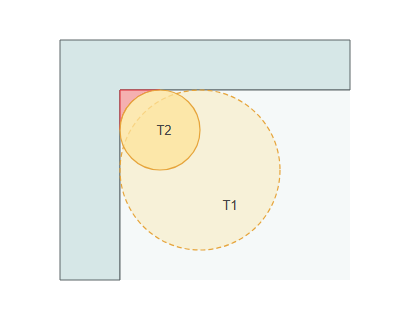
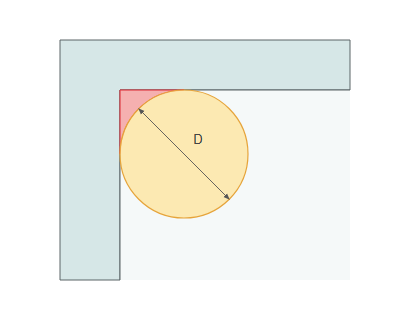
ON. The rest material is calculated after a tool with the specified diameter D.
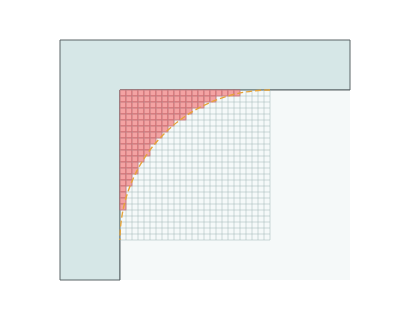
Model resolution. Defines the grid step used to calculate the rest material. A higher resolution finds the rest material more accurately in corners, but increases calculation time and memory usage.
Standard. Uses the basic grid step of the rest material model.
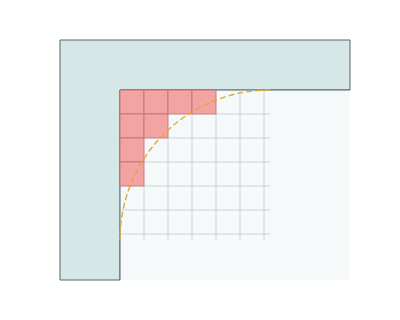
High. Uses a grid step two times smaller than Standard.
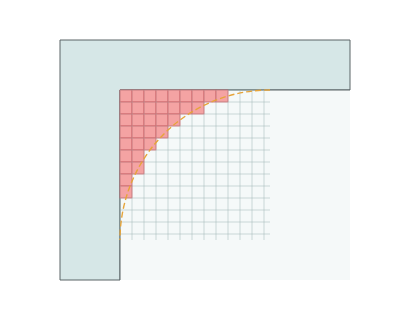
Ultra High. Uses a grid step four times smaller than Standard.
Check fixtures.
When generating the toolpath, fixtures are treated as no-go zones to prevent collisions.
Click here to expand..
.png)
.png)
Weaving.
Mechanical weaving is used, for example, to compensate for tolerances or to bridge gaps in a seam. The torch moves across the seam in this instance and the weave oscillation is thus superposed on the seam motion. It is also possible to rotate the torch in relation to the plane of the weld (direction of welding). Can also be used for polishing. Details
Features.
The trajectory output method is used for Recognize features. Details
Click here to expand..
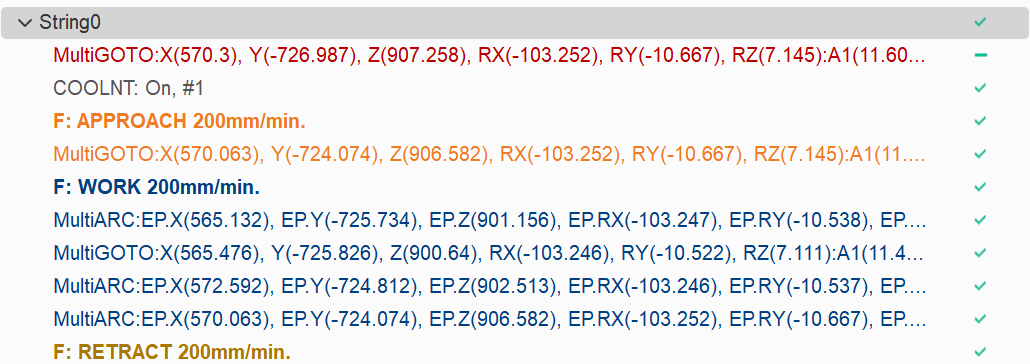
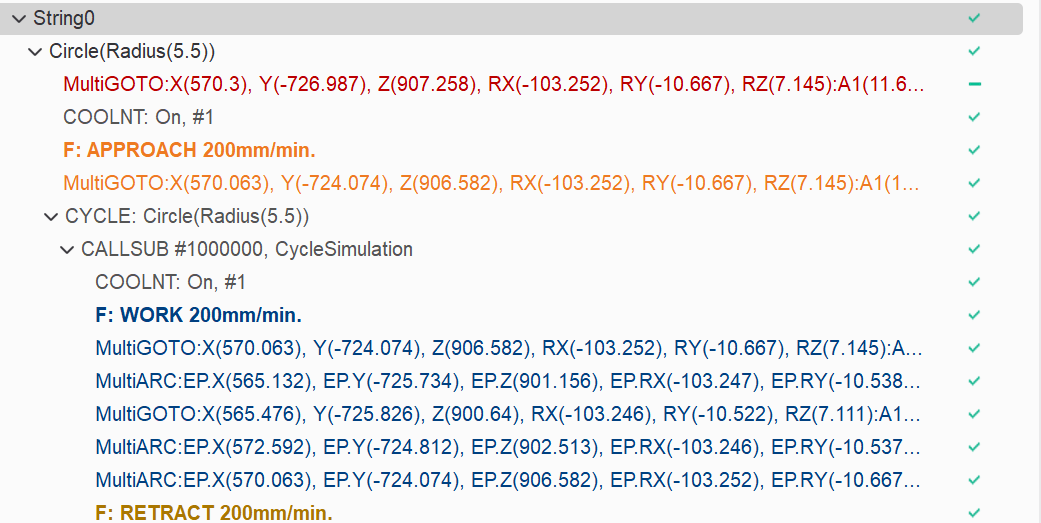
Cycle format.
None. Only simple NC commands (Without indicating cycles or recognized features).
Without internal movements (EXTCYCLE only). Canned cycles are used, with identification of recognized machining features
With internal movements. Only simple NC commands with indication of recognized features.
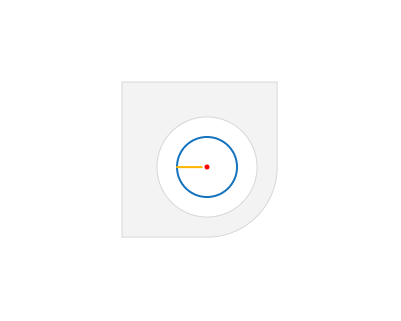
Start and end at center. The toolpath starts and ends at the center of the feature. When the option is disabled, cutting starts from the wall edge.

Check Holder.
The "Check Holder" feature detects segments of the toolpath where the tool holder collides with the part and modifies those segments according with the specified strategy. Details
Plunge roughing.
Makes a plunge passes based on the current trajectory. Details
Advanced.
Click here to expand..
Small gap size. After the undercut check a pass can break into pieces. If the gap between the pieces is less than the specified Small gap size, they are joined with a smooth curve and the tool does not retract. Larger gaps are linked with a retract.
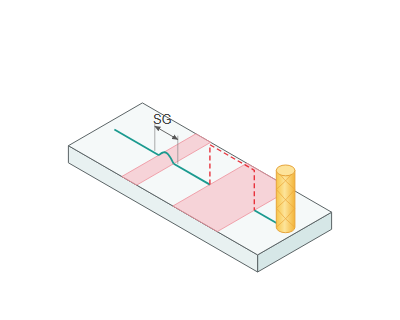
Small gap size: 0 joins no gaps. By default, the value is half of the tool diameter.
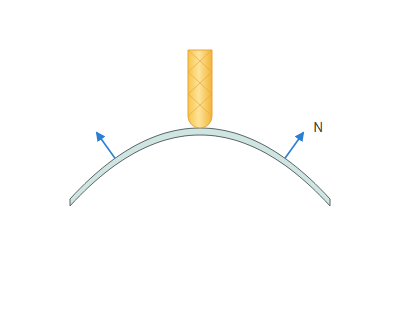
Reverse side. Controls the side from which the surface is machined by reversing its normal.
Reverse side, disabled. The surface is machined from the side its normal N points to.
Reverse side, enabled. The surface normal N is reversed, and the surface is machined from the other side.
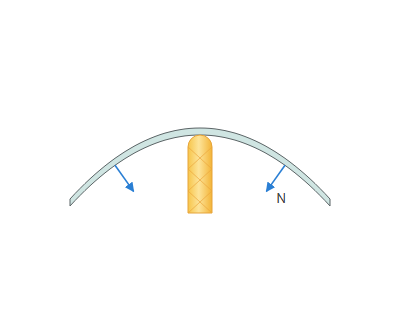
Simulation.
Group of parameters to define the simulation options for the current operation.
Click here to expand..
Check for gouges.
If enabled: If the toolpath of this operation gouges the part, the gouging motions will be highlighted in red.
If disabled: If the toolpath of this operation gouges the part, the gouging motions will not be highlighted.
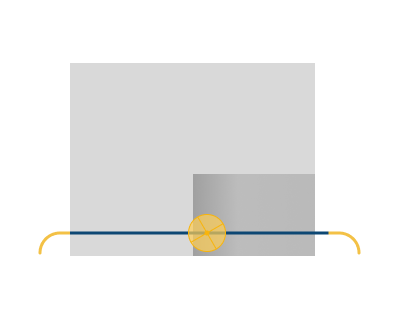
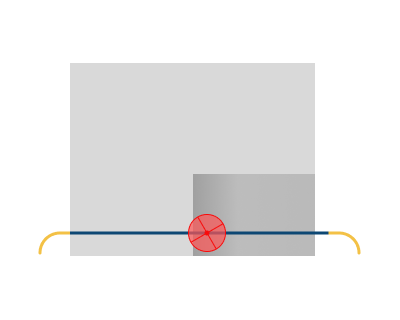
Simulation type.
Auto. The simulation type is automatically assigned based on the selected operation type.
Subtractive. Modeling is carried out by subtracting material.
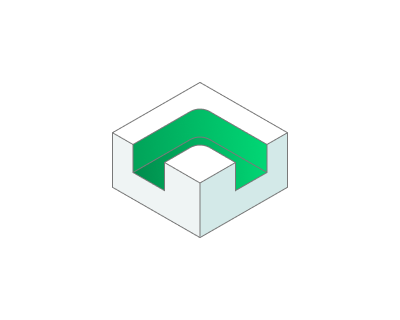
Additive. Modeling is done by adding material to the tool level.
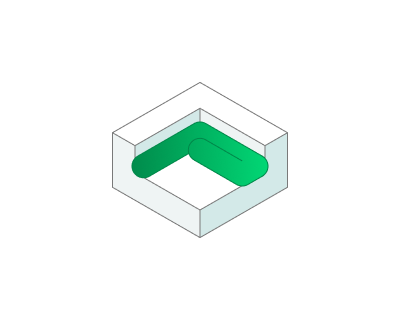
Painting. Modeling is done by adding material in layers. Details
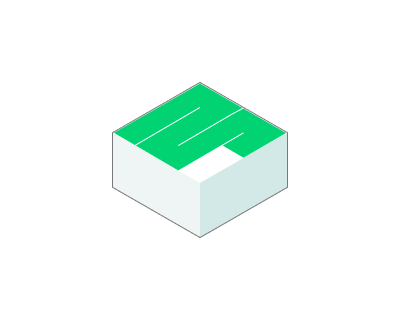
Effective feeds. Allows modeling the welding deposition process according to feed rules.
All non rapid. The material is added, if current feed type is NOT 'Rapid'.
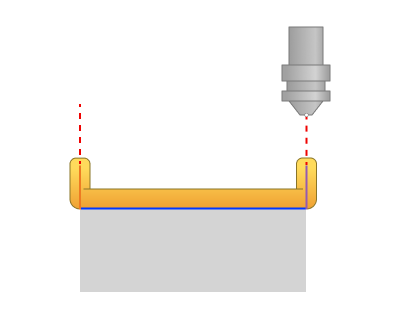
Working feed only. The material is added if the current feed type is 'Working', 'Finish pass' or 'First pass'.
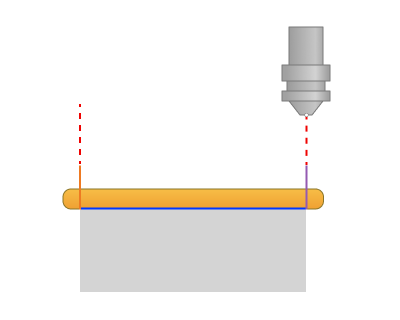
Working feed, retracts and engages. The material is added if the current feed type is 'Working', 'Retract' or 'Engage'.
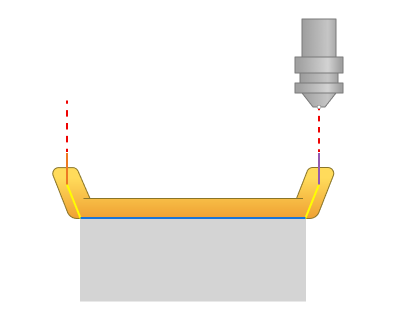
Custom. The material has been added to the chosen feed. (Work feed, Engage feed, Retract feed, Short link feed, Long link feed, Finish feed, First feed, Approach feed, Return feed, Plunge feed.)
Painting type. Specifies the type of paint application modeling. Details
Thickness measurement. This type of painting simulation shows not only the areas to be painted, but also displays the approximate thickness of the future paintwork. To view the thickness result of the applied paint, you need to activate Verify Compare in the top toolbar within the simulation.
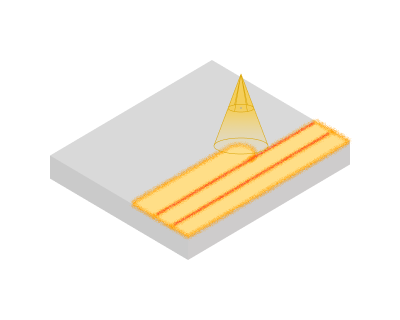
Paint flow rate. Paint flow rate is needed to ensure consistent and high‑quality application of paint.
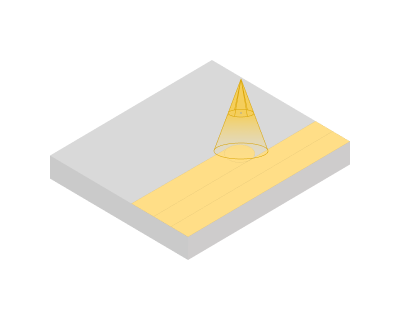
Simple. This type of painting simulation shows which areas of the model will be painted.
Delete chips.
The deleting chips will happen automatically at the end of the operation simulation process.
Disabled. The deleting chips is disabled.
.png)
.png)
Check for plunges. Simulation checks for the incorrect tool lowering.
Allowed ramp angle. If the ramp angle of tool path is more than this value then simulation marks these lines by the error sign.
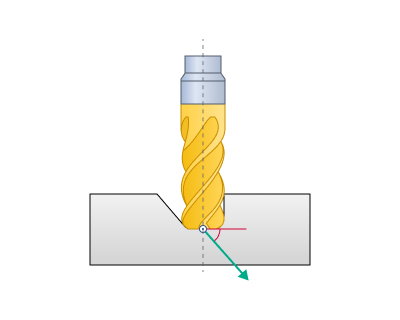
Allowed axial plunge. If the vertical lowering of the tool into the material is greater than this distance, then the tool path is marked with an error.
Tolerance.
This feature defines the 'maximum deviation' between the 'ideal' and 'approximated' toolpath. A larger tolerance amount reduces the number of moves in the toolpath.
Preferred tool orientation.
In turning operations, it defines the basic position of the cutting tool relative to the workpiece rotation axis.
Click here to expand..
Undefined. Indicates that the system imposes no rigid constraints on tool orientation relative to the workpiece rotation axis. The orientation is either user-defined or automatically determined based on the workpiece geometry and the type of operation performed.
Outer radial. The tool is oriented radially from the outside — the cutter approaches the workpiece from the side, perpendicular to the rotation axis, for machining external diameters.
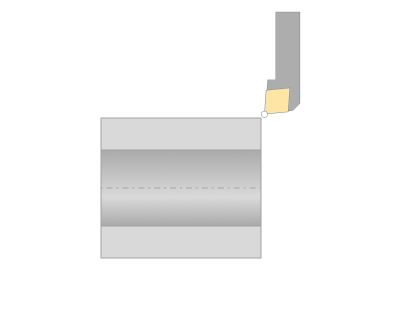
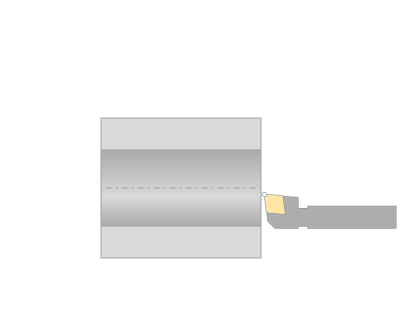
Inner radial. The tool is oriented radially inside — the cutter enters the bore and works on internal surfaces.
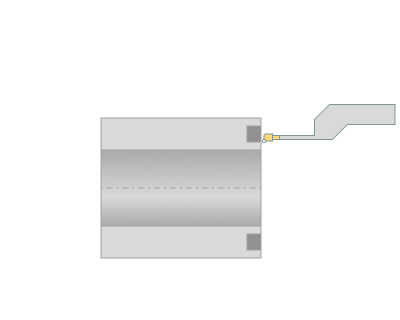
Axial. The tool is oriented along the rotation axis (Z‑axis), with feed parallel to the workpiece axis.
Minimum layer time.
This group of parameters allows you to set the minimum allowed time in seconds for printing a single layer. Details
Power.
This option adjusts the extruder speed based on layer height, modifying the Power (material feed) parameter. Details