Editing the code
Application area:
Each macro is a small extension generated by the system from the recorded steps. Recording covers the common cases, while the generated source code is a fully functional extension.
Opening it is appropriate for:
going beyond the capabilities of recording — adding custom logic, loops, or conditions;
studying the CAM system API by means of a concrete, runnable example;
creating a new extension from a known-good template rather than an empty file.
.NET and Spr
The language is selected when the macro is saved and is retained by the macro. Details
.NET.The macro is generated in C# and built as a.NET extension against the CAM system API. Selected for development of the macro in C# or use of the wider .NET ecosystem.
Spr. The macro is generated in Spr, the built-in scripting language of CAM system, and opens in the built-in Spr editor. Selected when work is performed in Spr.
Both options are run in the same manner from the macro list; the difference lies only in the source code being edited.
Opening a macro in an editor
In the macro list, open the "…" menu of the macro and select Open in editor.
The system opens the generated source code of the macro — the C# source for a .NET macro, or the
.sprscript in the Spr editor.Make the changes and save.
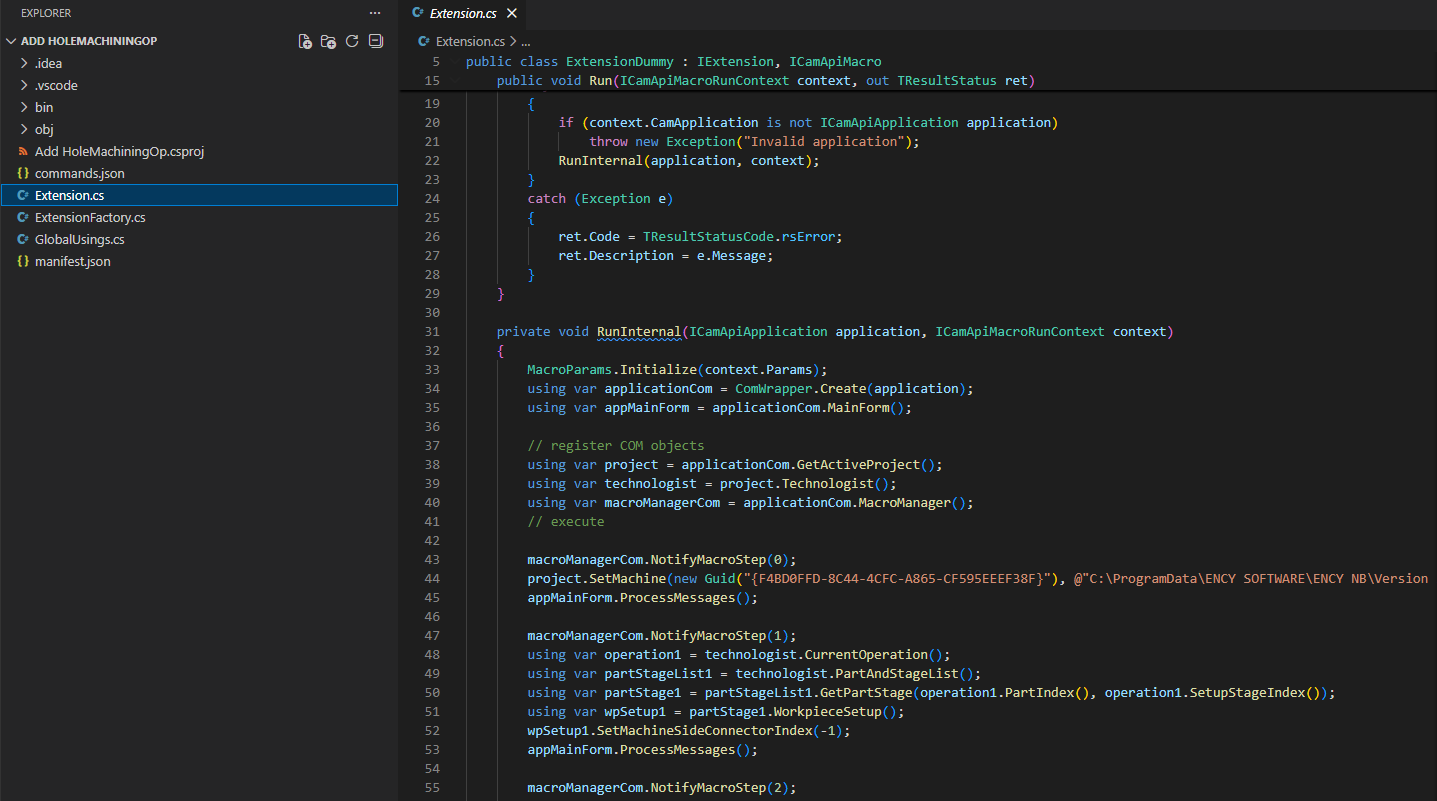
The generated source code of a .NET macro — the C# Extension.cs file together with the project files (commands.json, manifest.json, and the .csproj):
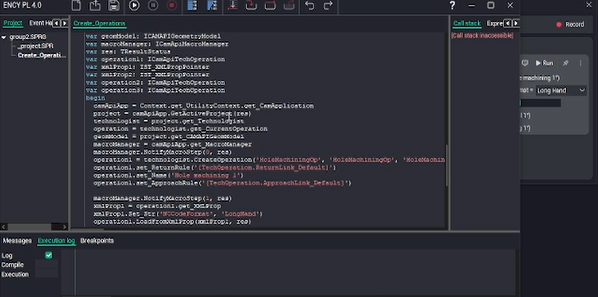
The generated code of a Spr macro — the script opened in the Spr editor:
How edits take effect
A Spr macro is run directly from its script, so saving the edited script is sufficient.
A .NET macro is run from a compiled file, so C# edits take effect after the macro is rebuilt. The build-environment check analogous to the one described in applies. Details
Source code location
The macro source code and its human-readable step list are placed together in the macro folder, inside the personal CAM system folder under macros. Keeping the folder as a whole ensures that the macro and its source code remain synchronized.