Links in сladding operations
Application Area:
This group defines the settings for cutting in or transitions between areas.
First links / Last links. Defines the general rule of approach/return.
Click here to expand..
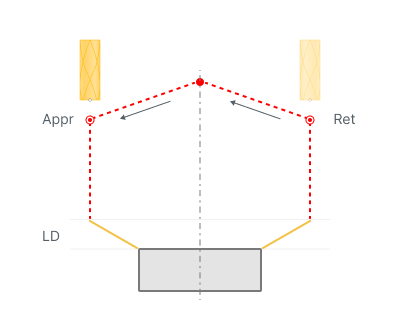
Straight.
With this rule, the approach to the part is carried out: 1. Tool change position 2.Appr- Approach 3. LD - Leads (If they are enabled) The returnl is carried out in the reverse order: 1. LD - Leads (If they are enabled) 2.Ret - Return 3. Tool change position
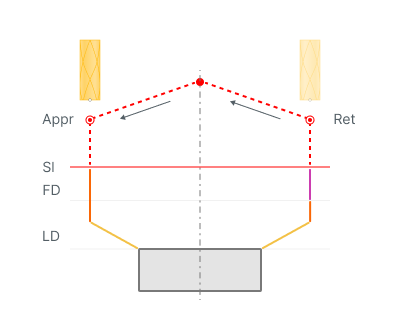
On Safe Surface.
With this rule, the approach to the part is carried out: 1. Tool change position 2.Appr- Approach 3.SL - Safe level 4. FD - Feed distance 5. LD - Leads (If they are enabled) The returnl is carried out in the reverse order: 1. LD - Leads (If they are enabled) 2. FD - Feed distance 3. SL - Safe level 4. Ret - Return 5. Tool change position
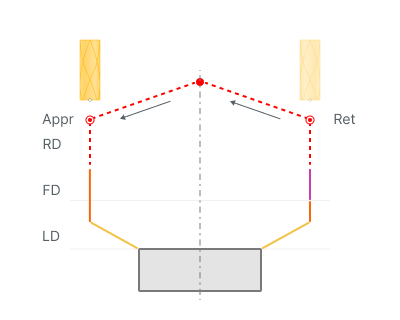
By Rapid Distance.
With this rule, the approach to the part is carried out: 1. Tool change position 2. Appr- Approach 3. RD - Rapid distance 4. FD - Feed distance 5. LD - Leads (If they are enabled) The returnl is carried out in the reverse order: 1. LD - Leads (If they are enabled) 2. FD - Feed distance 3. RD - Rapid distance 4. Ret - Return 5. Tool change position
Neighbor links.
Click here to expand..
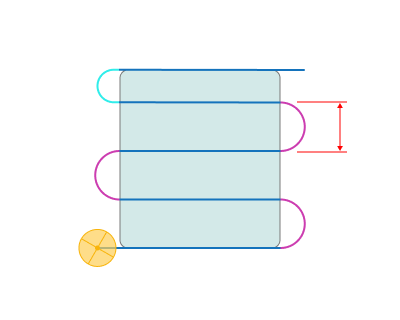
Continuous.
Transitions between neighboring passes are made continuously along the part at the Short link feed, without retracting the tool. Combined with Effective feeds set to all non-rapid, this produces a continuous cladding bead. Applied only to transitions shorter than Neighbor link max distance.
Note
For Area cladding and Cladding 3D operations in the Parallel strategy the transition follows the equidistant of the outer contour; in the Offset strategy it is built as the shortest direct move.
As short link. Transitions between neighboring passes are executed as regular short links, according to the Short links setting.
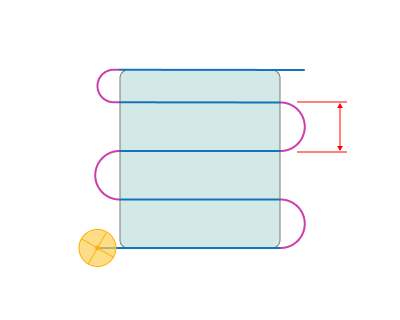
Neighbor link max distance.
The maximum distance between the end points of two neighboring passes at which the transition is treated as a continuous neighbor link. If the distance is greater, the transition is built as a Short link or Long link instead.
Note
Short links operate in the gap between this value and the Short link max distance. If this value reaches the Short link max distance, that gap closes and every short transition becomes a neighbor link.
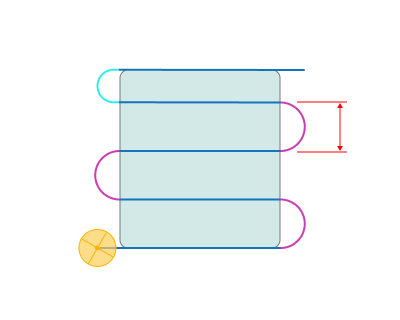
Short links / Long links.
Click here to expand..
Straight. Links are made by the shortest distance.
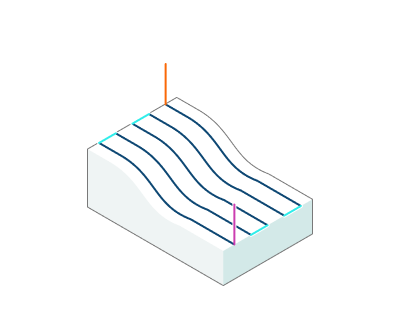
Smooth. Smooth Bezier spline transition between passes.
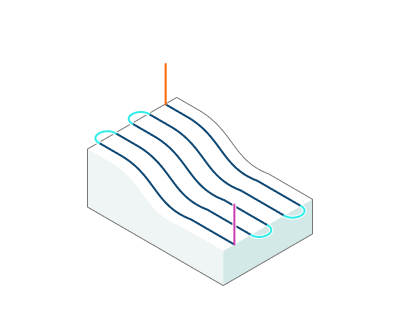
On Safe Surface.
The links made from from the Feed distance to the Safe level. FD - Feed distance SL - Safe level

By Rapid Distance.
The links made from from the Rapid distance. RD - Rapid distance

Short link max distance. Sets the maximum distance at which links are made by the short link type.
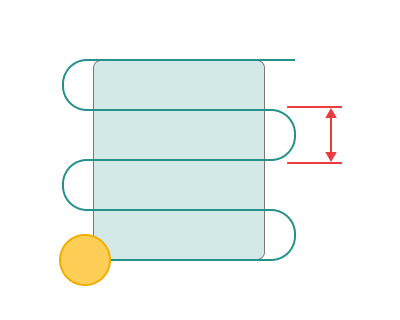
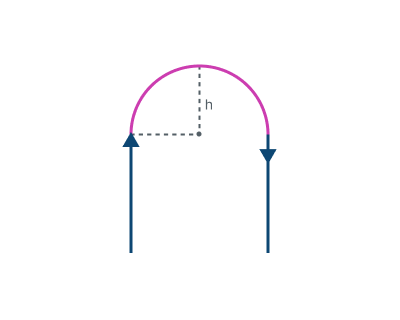
Smooth link height. Height of the link arc above the straight chord connecting two neighboring passes. The specified value is exact for the reference case — the ideal zigzag. In other configurations (Parallel forward/backward, Offset, etc.) the actual arc height may differ.