Operation status panel
Application area:
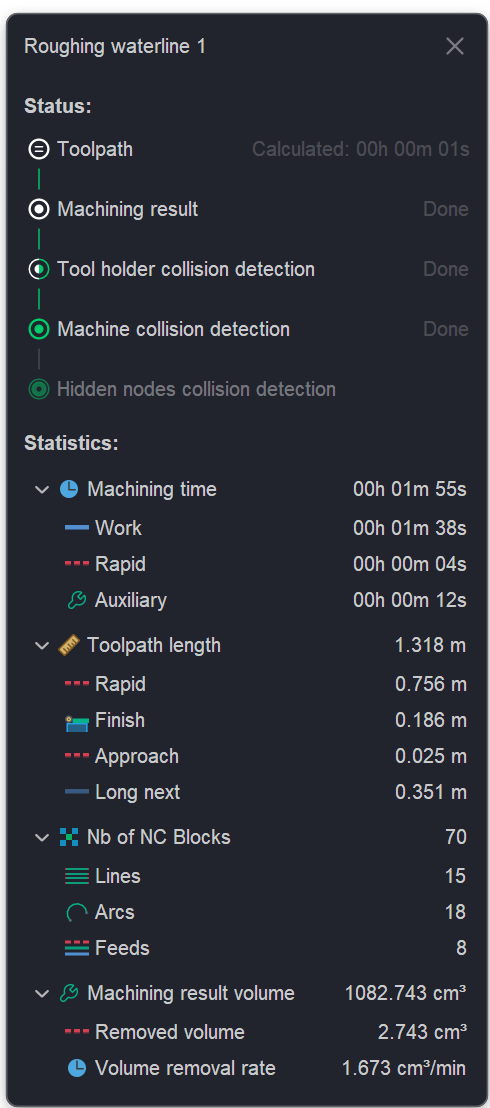
When clicking on the operation status icon inside technology tree next to the operation name then the status panel appears.
The Status panel is a mandatory element of the interface, designed to visualize the current status of technological operations execution.
It performs the following functions:
- displays the processing stages (toolpath calculation, machining result, collision detection);
- provides statistical data on tool movement time at different feed rates;
- allows viewing key metrics of the control program (Number of NC blocks for each node type).
You can refer to the following section for a more detailed description of operation statuses. Details