MachineMaker
  • MachineMaker
v3.1.1
Search Results for

    Show / Hide Table of Contents
    • MachineMaker
    • Introduction to MachineMaker
    • Interface
      • Main window
      • 3D navigation
      • Toolbar
      • Application Settings
    • Getting Started
      • Creating a project
      • Adding a mechanism
      • Prepare and import 3D objects
      • Grouping elements into nodes
      • Coloring
      • Mechanism Simulation and Validation
      • Assemblies
      • Mechanisms Library
      • Machine equipment configuration
    • Milling Machines
      • Building a kinematic scheme
      • Assembly options
      • Additional options
      • Examples: Machines
        • 3-Axes Milling Machine
        • 5-Axes Milling Machine
    • Robots
      • Building a kinematic scheme
        • Industrial Robots
        • Cobot
        • Heavy-Duty Robots
        • Flexible Heavy-Duty Robot
        • Tables and Positioners
        • Rails and Portals
        • Composite End effectors
      • Assembly Simulation and Validation
      • Table calibration
      • Receiving assemblies from CAM system
      • Assembly options
      • Additional options
      • Collision
      • Links/Leads
      • End effectors and TCP calibration
      • Examples: Robot cell
        • Simple robot
        • Heavy-Duty robot
        • Flexible Heavy-Duty Robot
        • Cobot
        • End Effectors
        • External Tools
        • Composite End Effector
        • Composite EndEffector: Spot Welding
        • Tables and User CS
        • Rail
        • H-bot (Portal)
        • SCARA Robot
        • Column-type robot
    • Turn-Milling Machines
      • Building a kinematic scheme
        • Chuck connector
        • Tool block
        • Turret head node
        • Dual-row tool turret
      • Multi Tool Head
      • Examples: Lathe milling machine
        • Lathe milling machine
        • Lathe milling machine with a dual-row turret
        • Swiss type machine
    • Simplifier

    Multi Tool Head

    The Multi Tool Head is made to hold any number of tool blocks, which can be easily configured and adjusted.
    You can build fully custom Multi Tool Head.

    To add it you need to create a project with a milling machine.
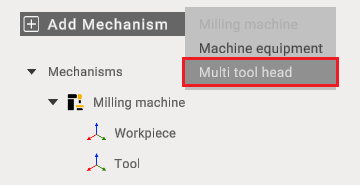
    image2025-5-23_14-58-18

    Attach a mounting point to the rear of the Multi Tool Head and identify its moving components.
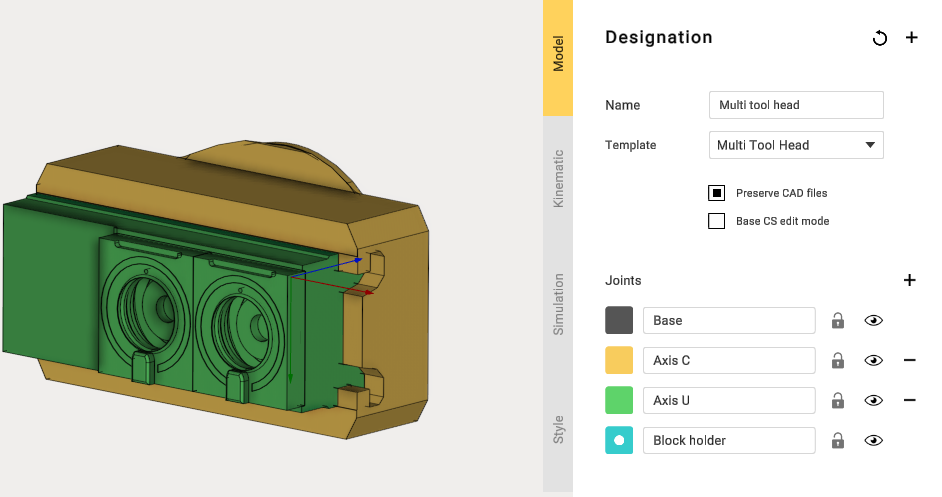
    image2025-5-23_15-6-50

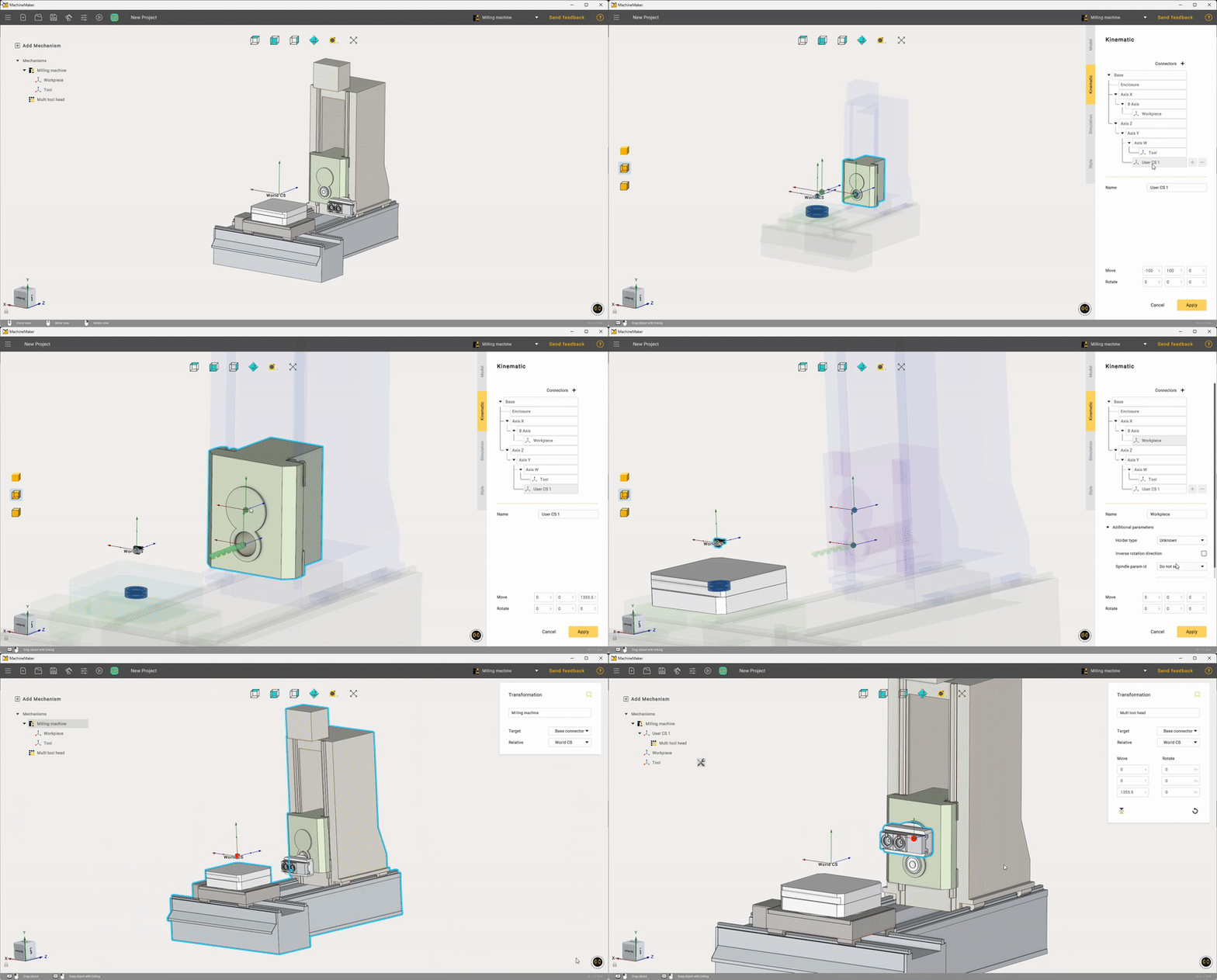
    Next, create a mounting point on the milling machine and slightly customize Workpiece settings.
    settingsto4kiformultitoolhead

    After mounting the Multi-Tool Head on the milling machine, open the Tool Blocks View window and use it to add the new tool for installation
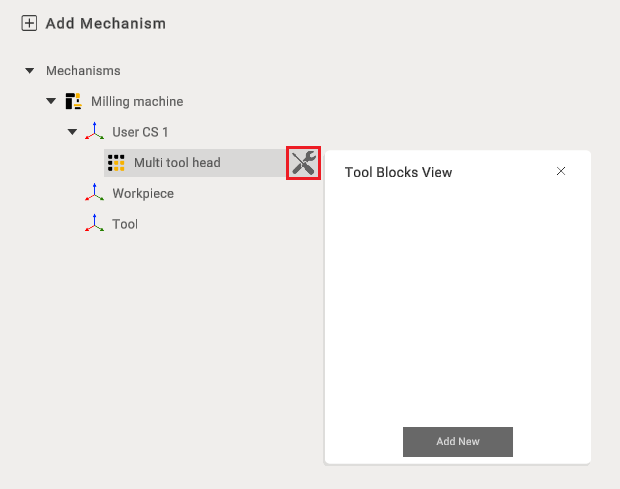
    image2025-5-23_15-32-16

    When adding a tool, you may select any type listed under Supported Applications. In this case, Lathe Cutting will be used.
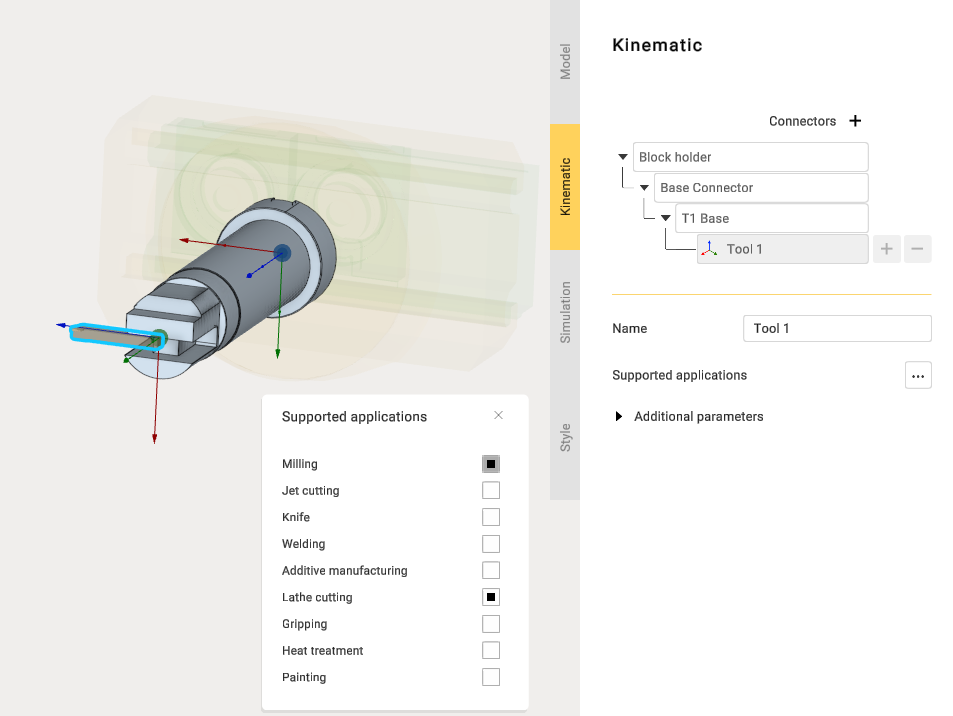
    image2025-5-23_15-38-9

    When adding multiple tools, ensure proper placement of each tool. To reposition a tool, adjust the location of its Base Connector.
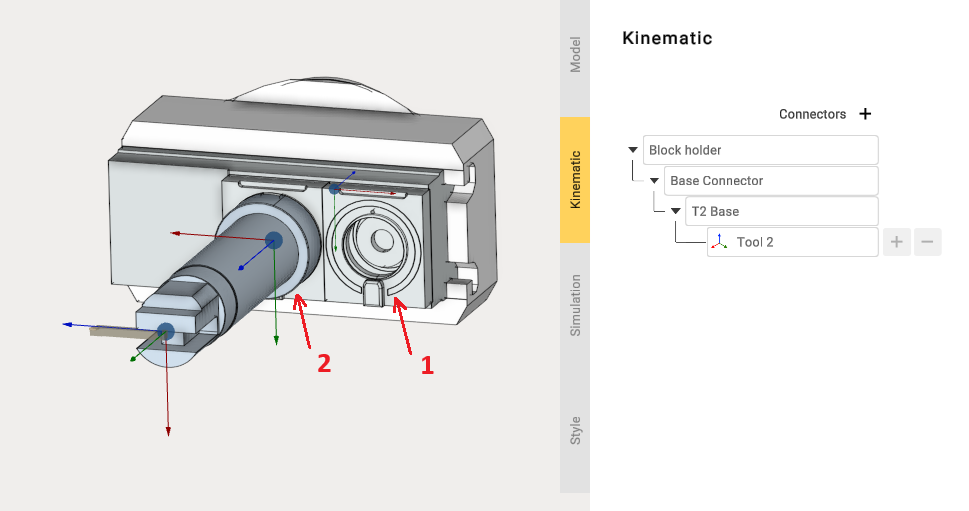
    image2025-5-23_15-44-7

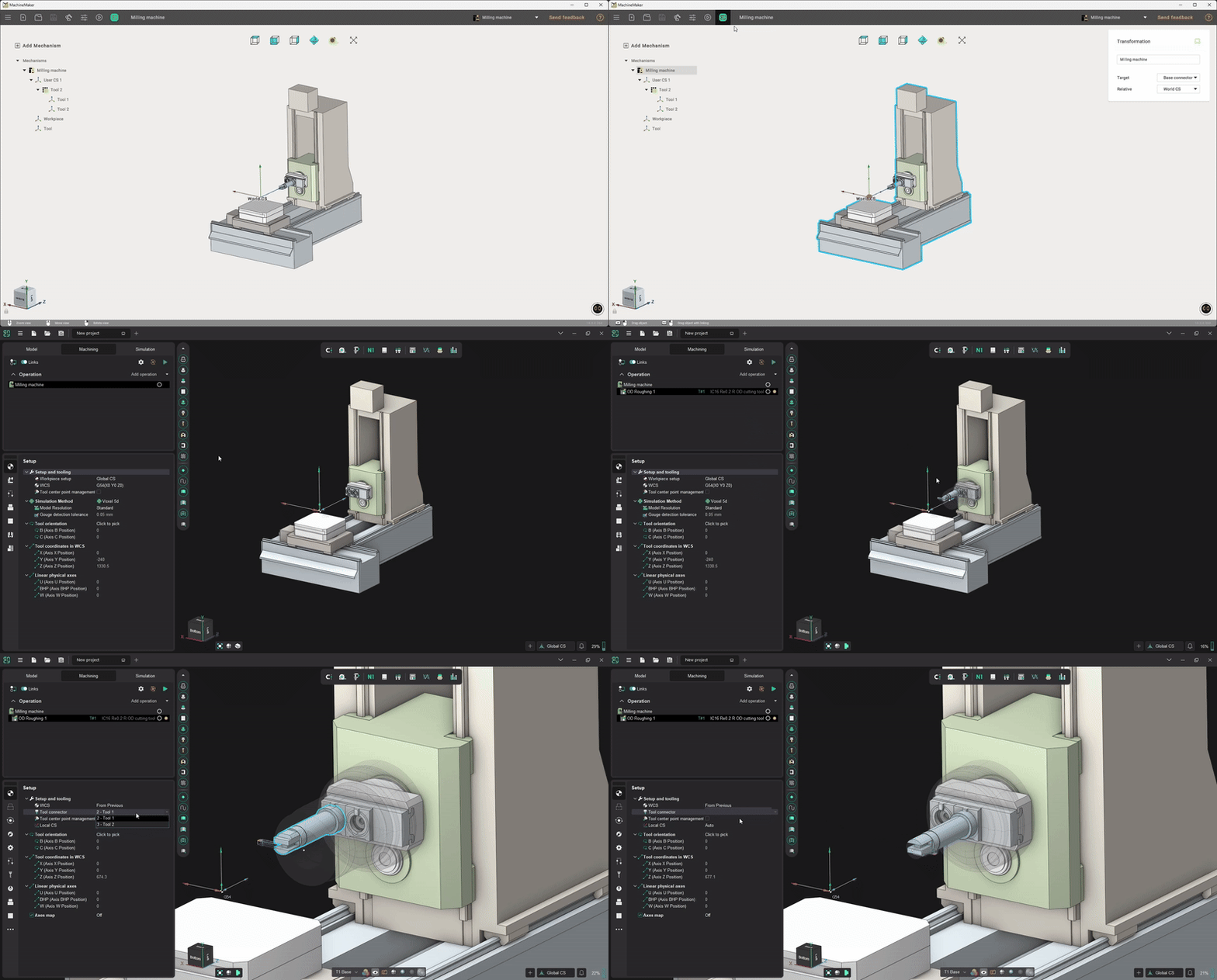
    After exporting the project, you can test the machine equipped with the Multi Tool Head.
    ExportMultiToolHead

    You can see how to build a machine with this Multi Tool Head at the link.

    In this article
    Back to top MachineMaker