MachineMaker
  • MachineMaker
v3.1.1
Search Results for

    Show / Hide Table of Contents
    • MachineMaker
    • Introduction to MachineMaker
    • Interface
      • Main window
      • 3D navigation
      • Toolbar
      • Application Settings
    • Getting Started
      • Creating a project
      • Adding a mechanism
      • Prepare and import 3D objects
      • Grouping elements into nodes
      • Coloring
      • Mechanism Simulation and Validation
      • Assemblies
      • Mechanisms Library
      • Machine equipment configuration
    • Milling Machines
      • Building a kinematic scheme
      • Assembly options
      • Additional options
      • Examples: Machines
        • 3-Axes Milling Machine
        • 5-Axes Milling Machine
    • Robots
      • Building a kinematic scheme
        • Industrial Robots
        • Cobot
        • Heavy-Duty Robots
        • Flexible Heavy-Duty Robot
        • Tables and Positioners
        • Rails and Portals
        • Composite End effectors
      • Assembly Simulation and Validation
      • Table calibration
      • Receiving assemblies from CAM system
      • Assembly options
      • Additional options
      • Collision
      • Links/Leads
      • End effectors and TCP calibration
      • Examples: Robot cell
        • Simple robot
        • Heavy-Duty robot
        • Flexible Heavy-Duty Robot
        • Cobot
        • End Effectors
        • External Tools
        • Composite End Effector
        • Composite EndEffector: Spot Welding
        • Tables and User CS
        • Rail
        • H-bot (Portal)
        • SCARA Robot
        • Column-type robot
    • Turn-Milling Machines
      • Building a kinematic scheme
        • Chuck connector
        • Tool block
        • Turret head node
        • Dual-row tool turret
      • Multi Tool Head
      • Examples: Lathe milling machine
        • Lathe milling machine
        • Lathe milling machine with a dual-row turret
        • Swiss type machine
    • Simplifier

    Simplifier

    Simplifier in MachineMaker is intended to simplify complex 3D models. This may include eliminating redundant parts, merging surfaces, optimizing model structure, and other complexity reduction techniques.

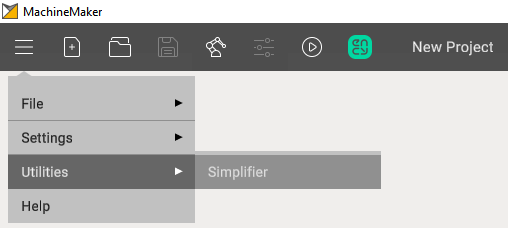
    To open it you need to click on the drop-down menu and select Simplifier in the utilities menu.
    images/download/attachments/128546984/image2024-8-16_16-42-28.png

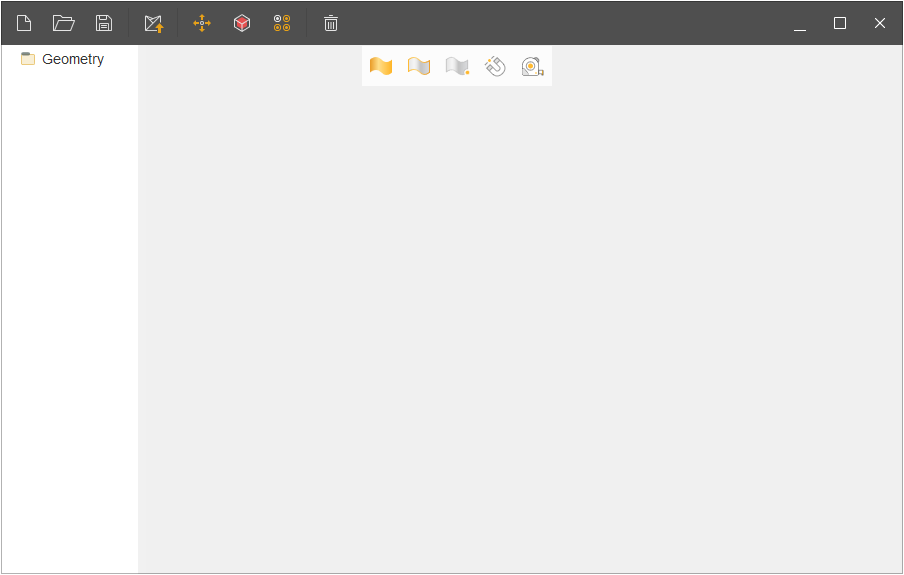
    The main menu of this utility looks like this:
    images/download/attachments/128546984/image2024-2-27_11-51-58.png

    The main window comprises the following sections:

    1. New project.
    2. Import.
    3. Save as.
    4. Send to MachineMaker.
    5. Transformation geometry.
    6. Simplify geometry.
    7. Find similar nodes.
    8. Delete.

    Transformation geometry is needed to move objects and has identical functions as in CAM system.
    images/download/attachments/128546984/rotate.gif

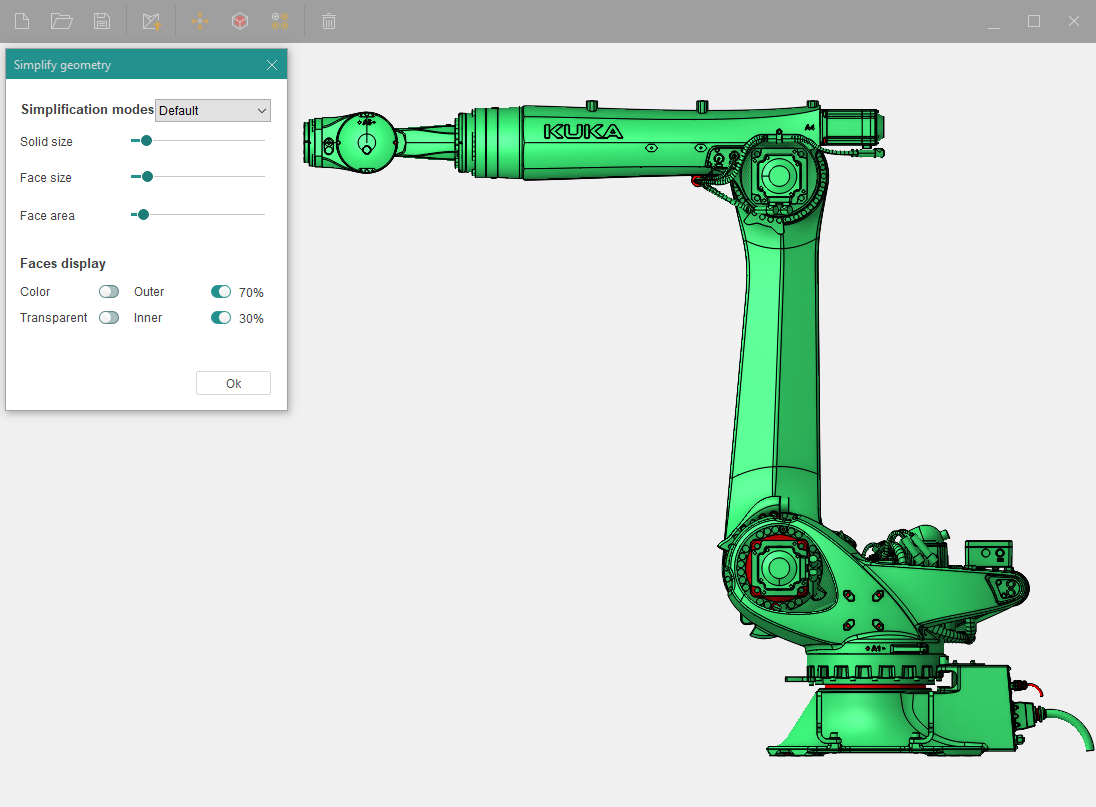
    Simplify geometry - This is one of the main functions of this utility. Here you can select different modes of model simplification. There are 4 templates:

    1. Default - a mode that removes small objects from the model.
    2. Middle - a mode that removes most of the objects from the surface of the model.
    3. Maximum - a mode that removes everything except large parts of the model.
    4. Custom - a mode in which you manually edit the surface of your model using sliders.

    The Kuka KR 120 R3100-2 robot model will be used for the illustrative test.
    images/download/attachments/128546984/image2024-2-27_12-42-2.png

    Before removing unnecessary objects from the robot, you can use the faces display function, where you can see in advance which objects will be removed (marked in red).
    images/download/attachments/128546984/red.gif

    Simplifier also has a Find similar nodes function. It is used to search for similar parts in your model, then it sorts them in a list by different nodes such as:

    • Exactly the same
    • Similar
    • Partially same

    images/download/attachments/128546984/parts.gif

    If necessary, you can delete nodes using the Delete button.
    images/download/attachments/128546984/delete231f.gif

    In this article
    Back to top MachineMaker