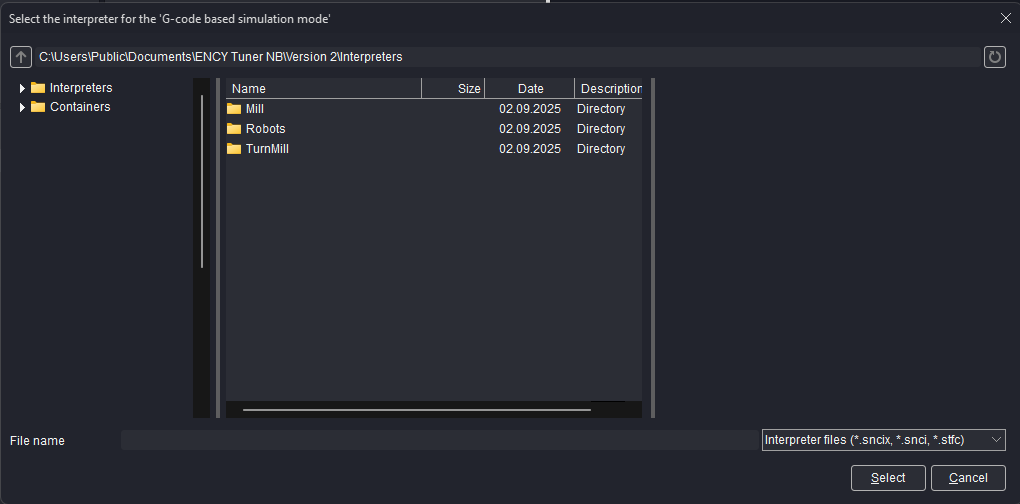
List of interpreters
Application Area:
Pre-built interpreters are available in the system. Some are available under a general license, while others require specific licenses. You can see the full list at the link. See more
To access the interpreter selection dialog, use any of the following approaches:
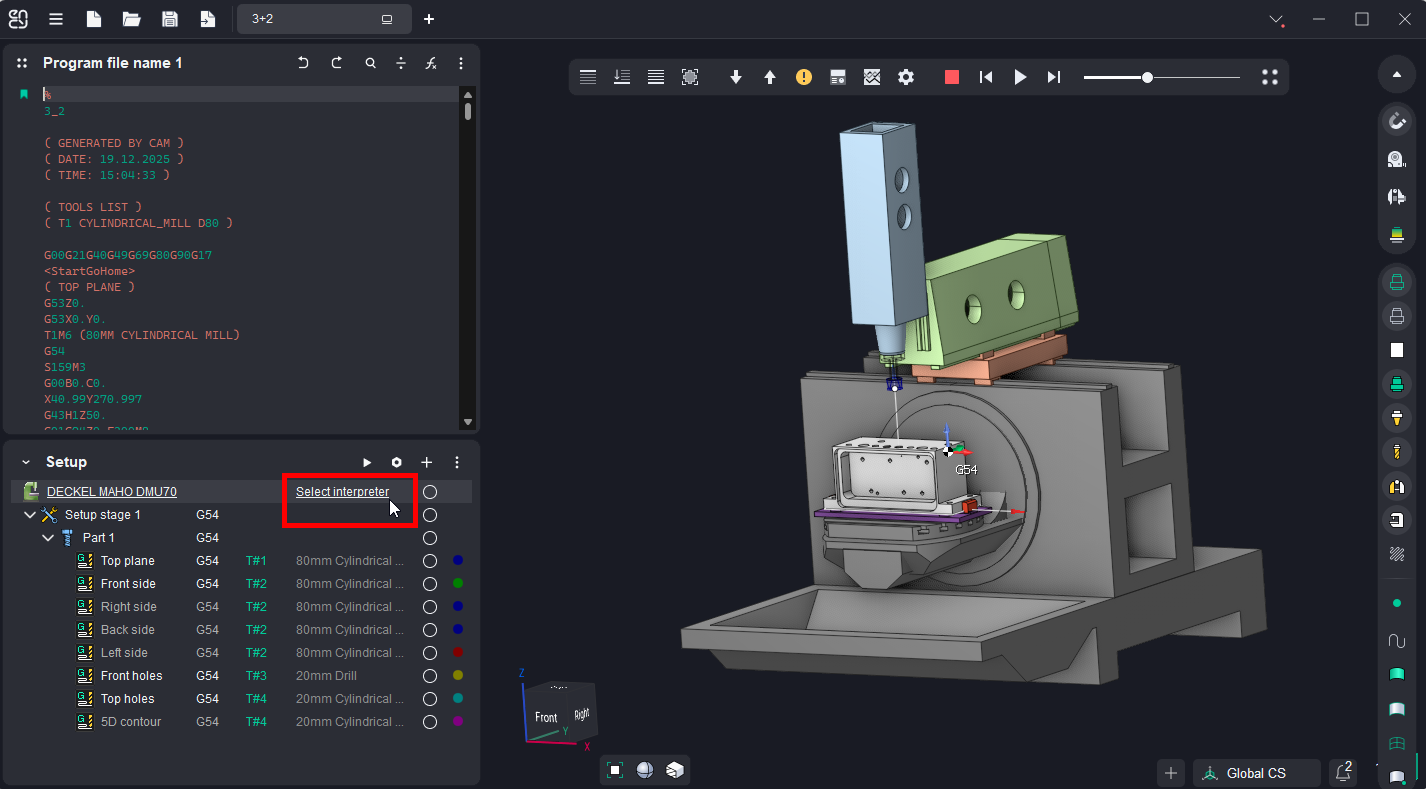
In the Setup Panel double-click the "Select Interpreter" or Interpreter name, if it preselected already .
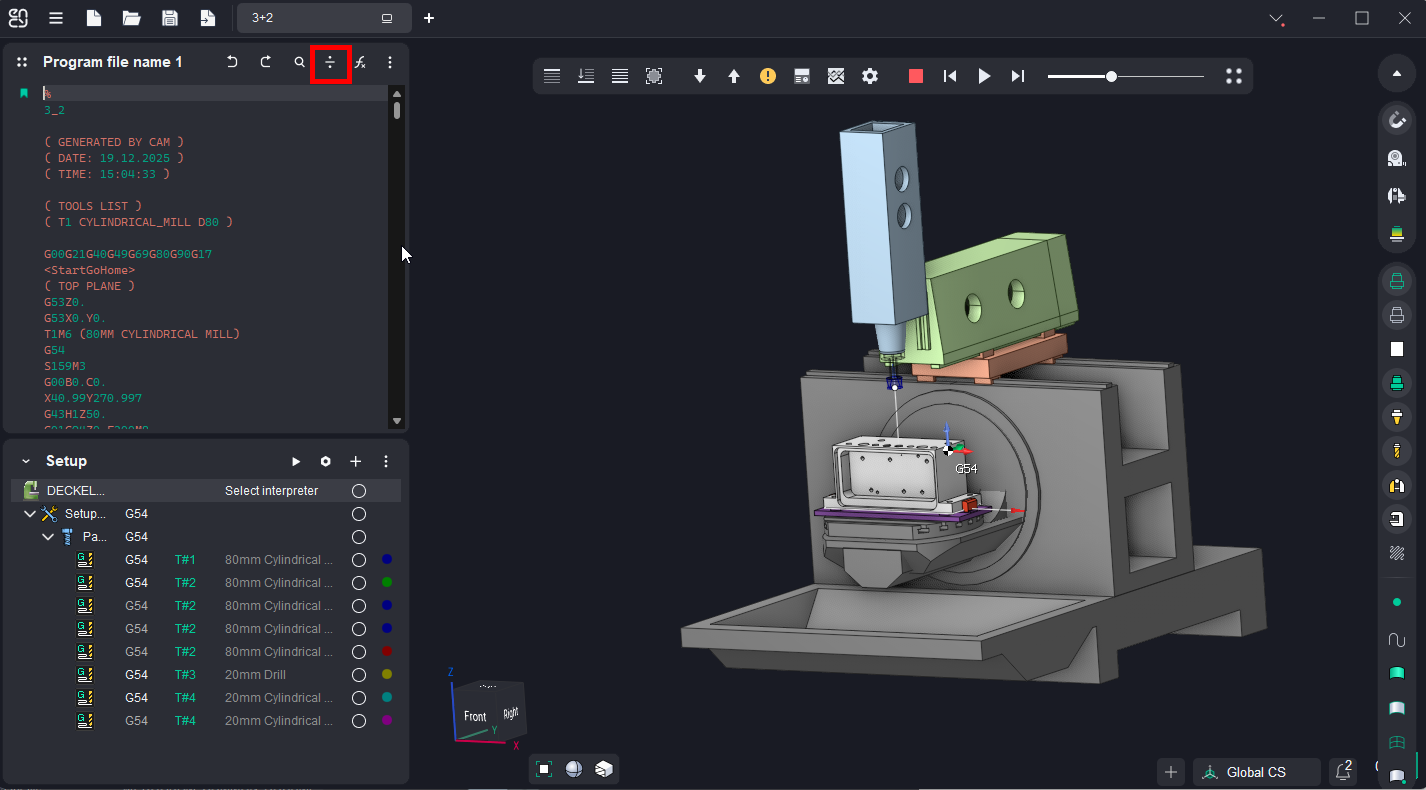
Use the Split button in the Panel for working NC Code Editor.
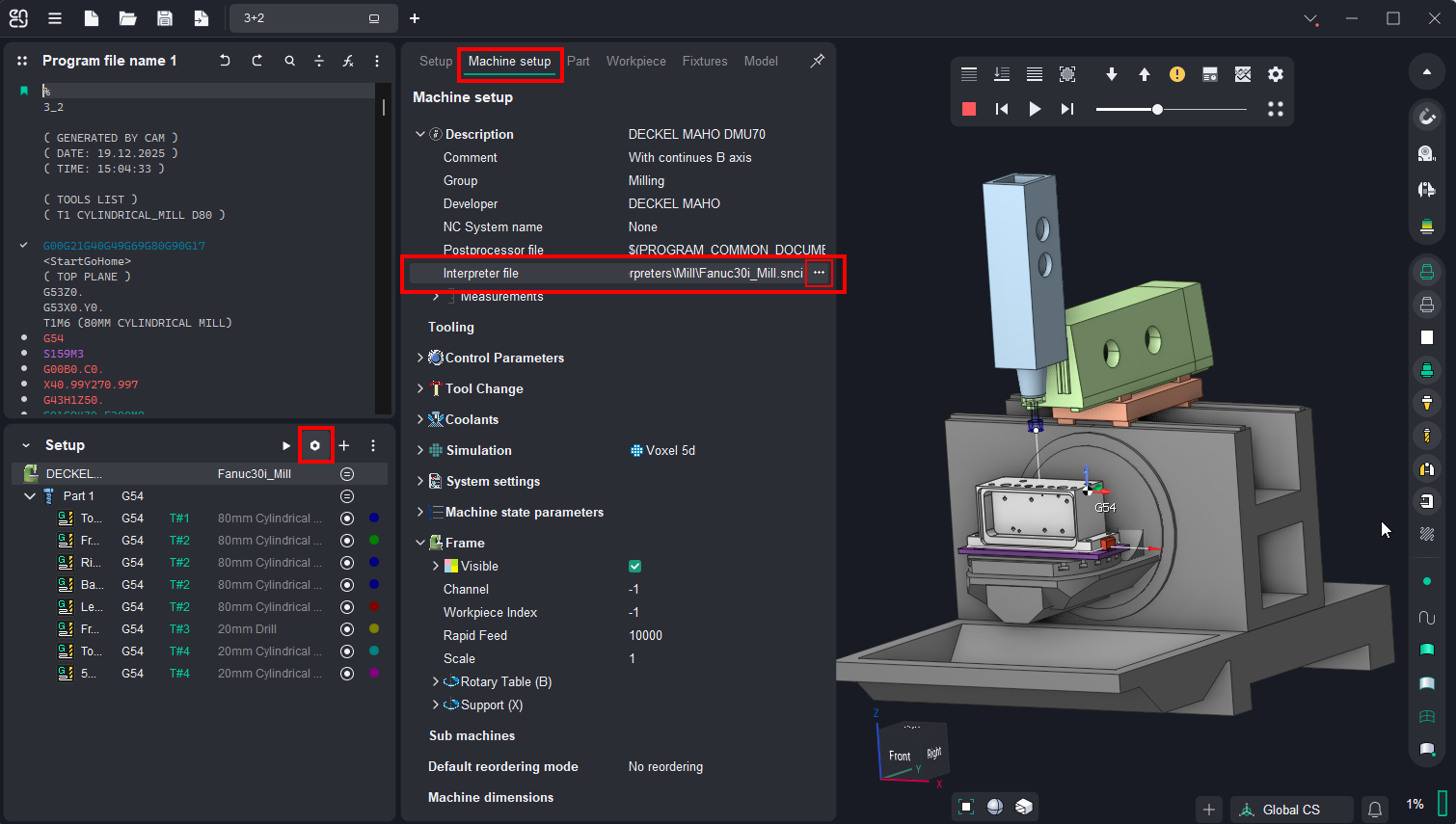
Start by clicking the Parameters button on the Panel for working Project Setup. Next, switch to the Machine setup tab and use the Interpreter file field to manually specify the necessary file.